

Live Data Batch Actions
- XWiki
- Design
- Active
 Adina Milica
 Thiago Krieck
Cristal's live data: https://jira.xwiki.org/browse/CRISTAL-538
Forum discussion for this topic: https://forum.xwiki.org/t/batch-actions-in-live-data/17140/10
Forum discussion for Cristal's Live data: https://forum.xwiki.org/t/livedata-for-cristal/17087
- No
Description
Current situation
Currently, we don't have a UI for batch actions for Live Data, nor for Live Table.
Proposal
Design & Implementation Requirements
#1 We add a live data property to enable/disable batch actions
#2 The UI provides a way to select all items on the current page
- Doing this will trigger a top banner “Do you want to select all 13,000 items in this table“ like in Gmail
#3 If the page is changed, the previous selection of items disappears
#4 If the sort or filter is changed, the previous selection of items disappears
#5 In the screens that follow the selection for confirming the deletion or move of pages, we make the table that displays the pages be a live data one (filterable, sortable) to allow for massive selections
#6 If the user doesn’t have certain rights over a page (for example, he can’t view it), he shouldn’t be able to select it for a batch action.
- we should think of what other standard rights would be included in this category (other than view) or if we should make this configurable.
- I vote for now that it isn’t configurable.
#7 If the user selects some pages and then performs a batch action, he will be led to another screen. He then realizes he forgot a page or several. He should be able to browse back to the previous page and the selection would still be preserved.
- Considering this suggestion, would it also make sense to add the preservation of choices when navigating through pages of the live data table? WDYT?
#8 We should have the possibility of removing a page from the selection in screens that confirm batch move or deletion.
#9 We introduce another config option (apart from the enabling/disabling of batch actions): the existence of actions
#10 We shouldn’t display checkboxes in front of each row, but have a mechanism that shows the checkbox when an action is done by the user ( for example, hover or click on some other element)
- we need to establish which is that action to be able to use it on mobile too
Informing the user about hidden actions
I want this update as a mean to letting the user know that there are hidden actions behind the selection of an entry, but without making the UI more cluttered. This is around what Charpentier Lucas said, and it does feel important to the accessibility of the feature (and even just plain usability). I’m just not sure if it’s enough, though.

Selection Behaviour
Initial live data - No item selected - Checkbox on hover
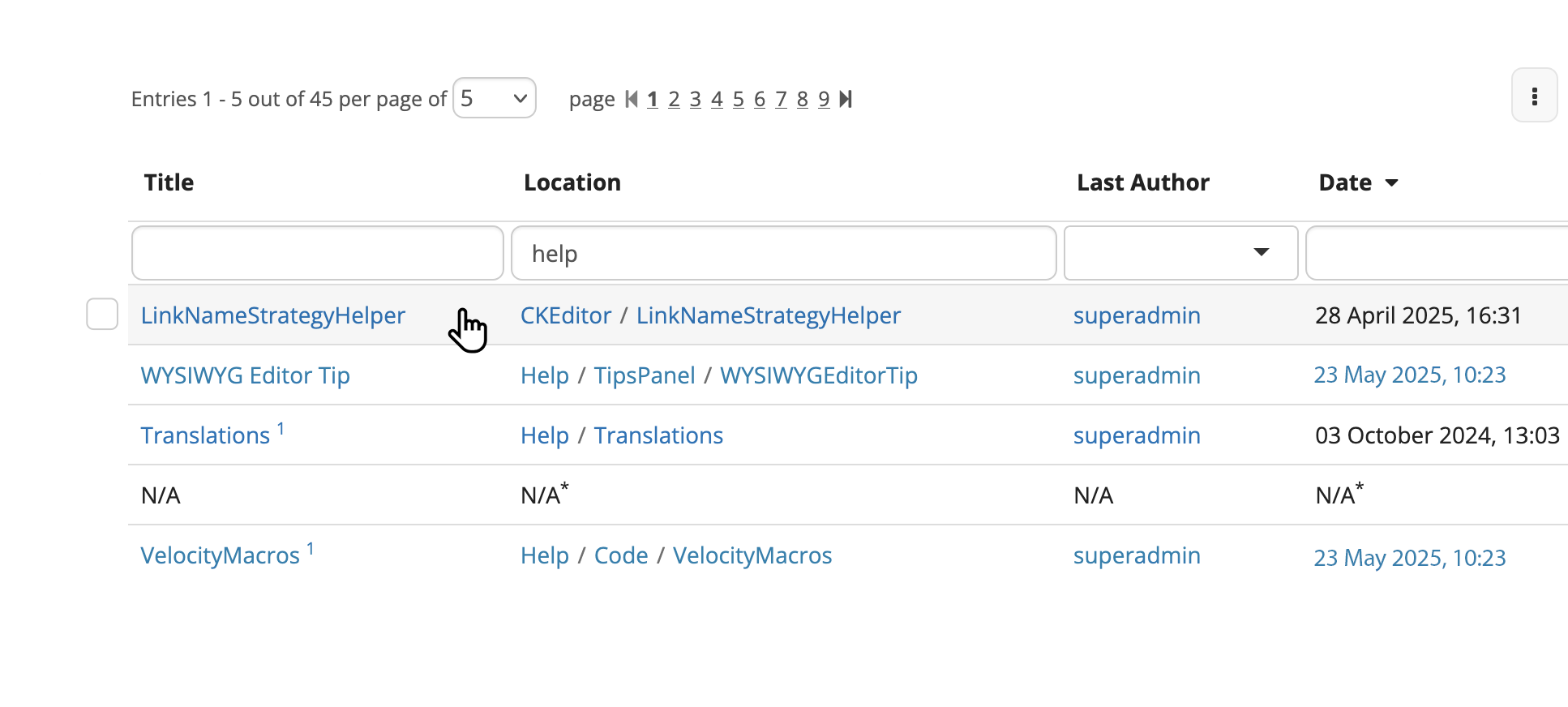
On mobile
The selection of an entry cannot be done through hover on mobile, obviously.
We could go 2 routes here:
- The selection of one item is done through long press (2 seconds press)
- Only on mobile, all checkboxes get shown at the left of the table (similar to the initial proposal)
One item is selected
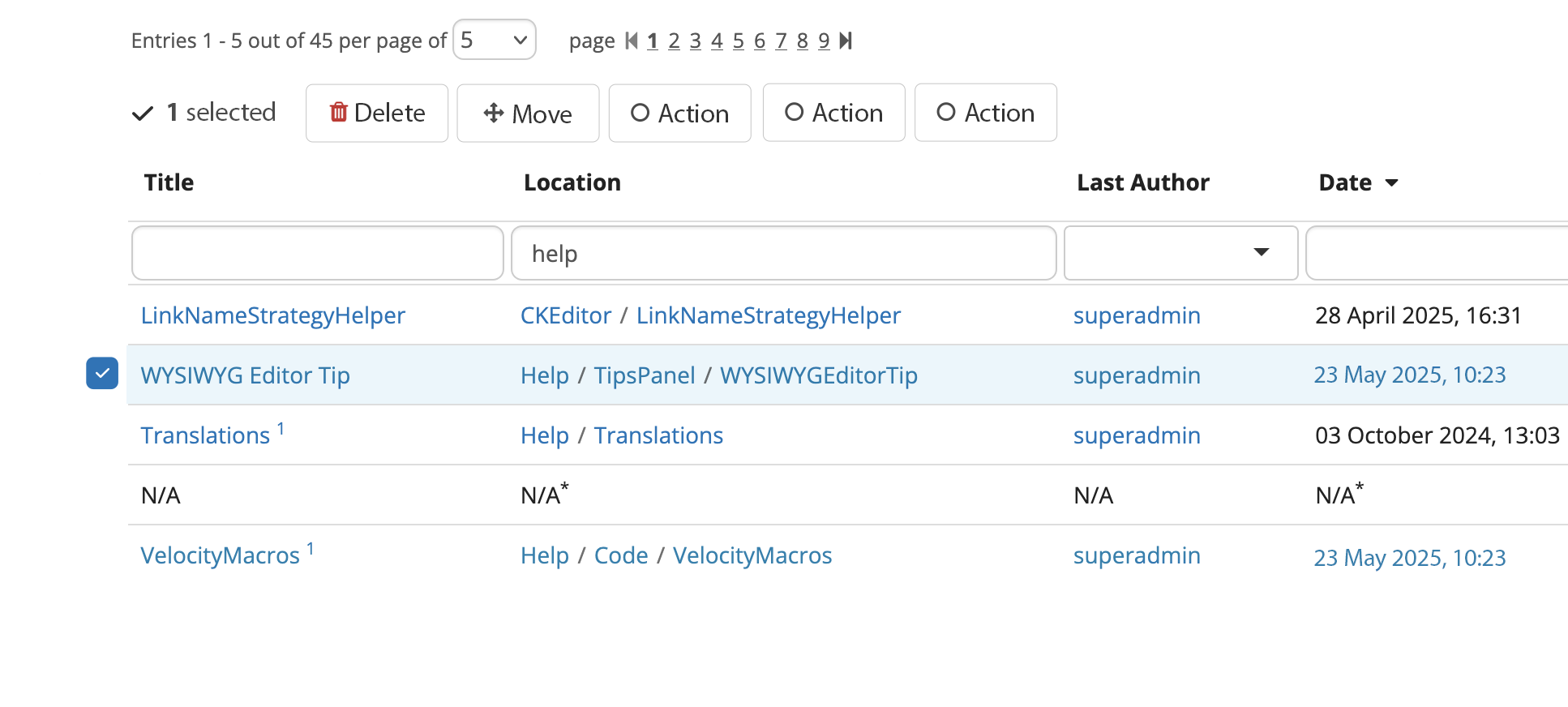
Two items get selected - global checkbox appears
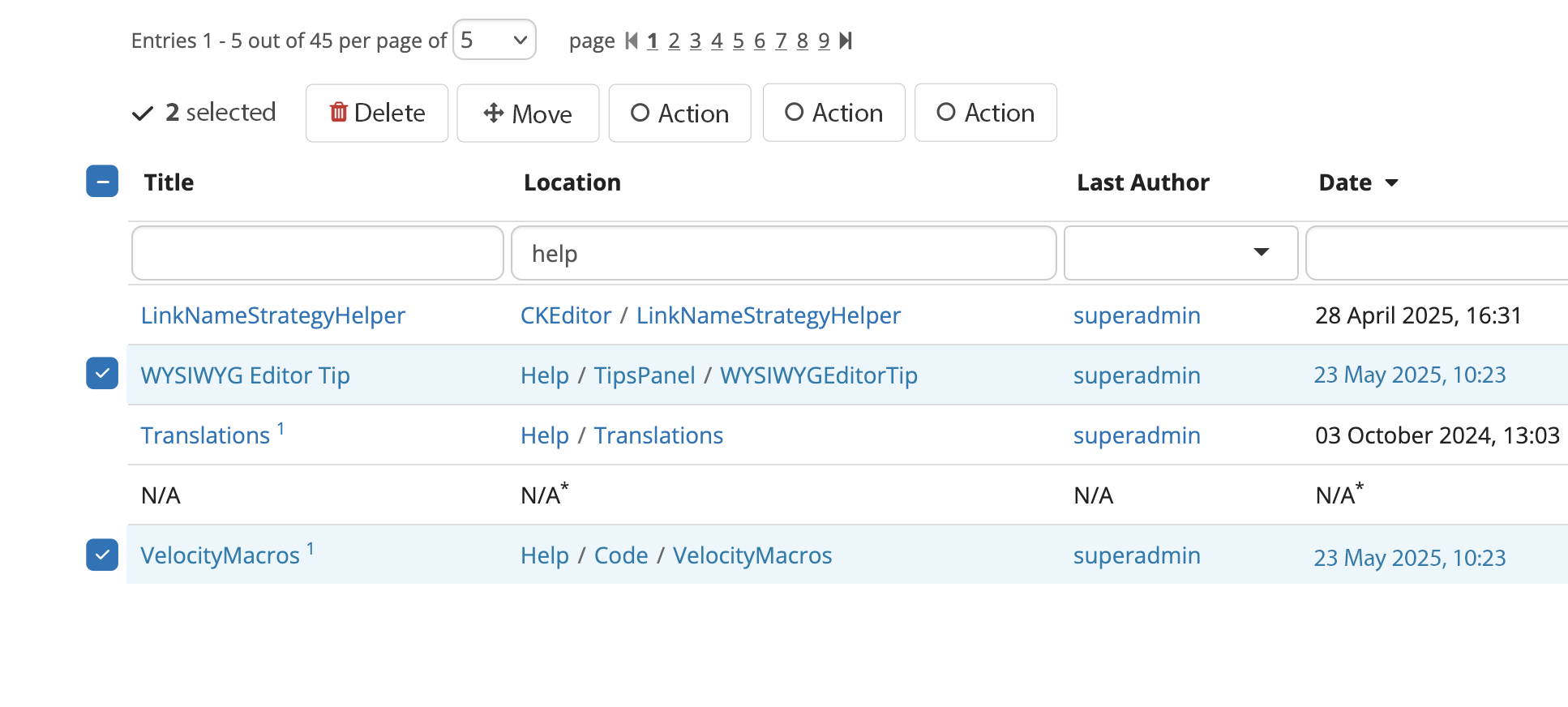
All entries on current table page selected
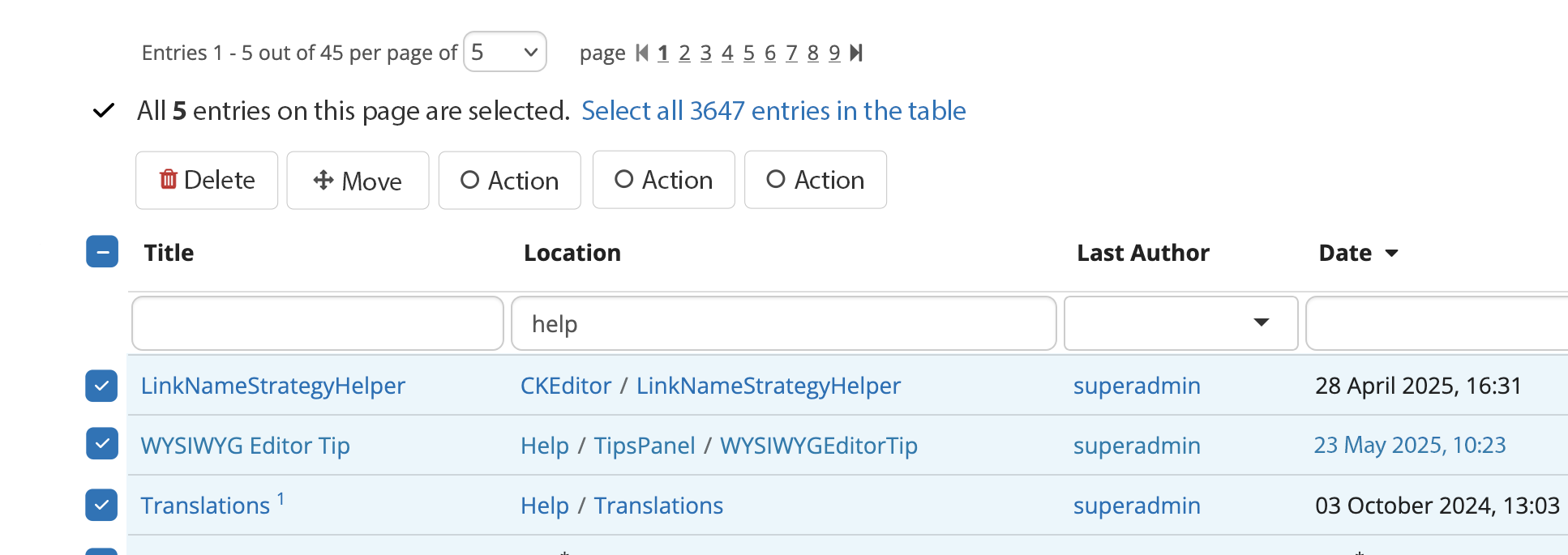
All entries in table selected
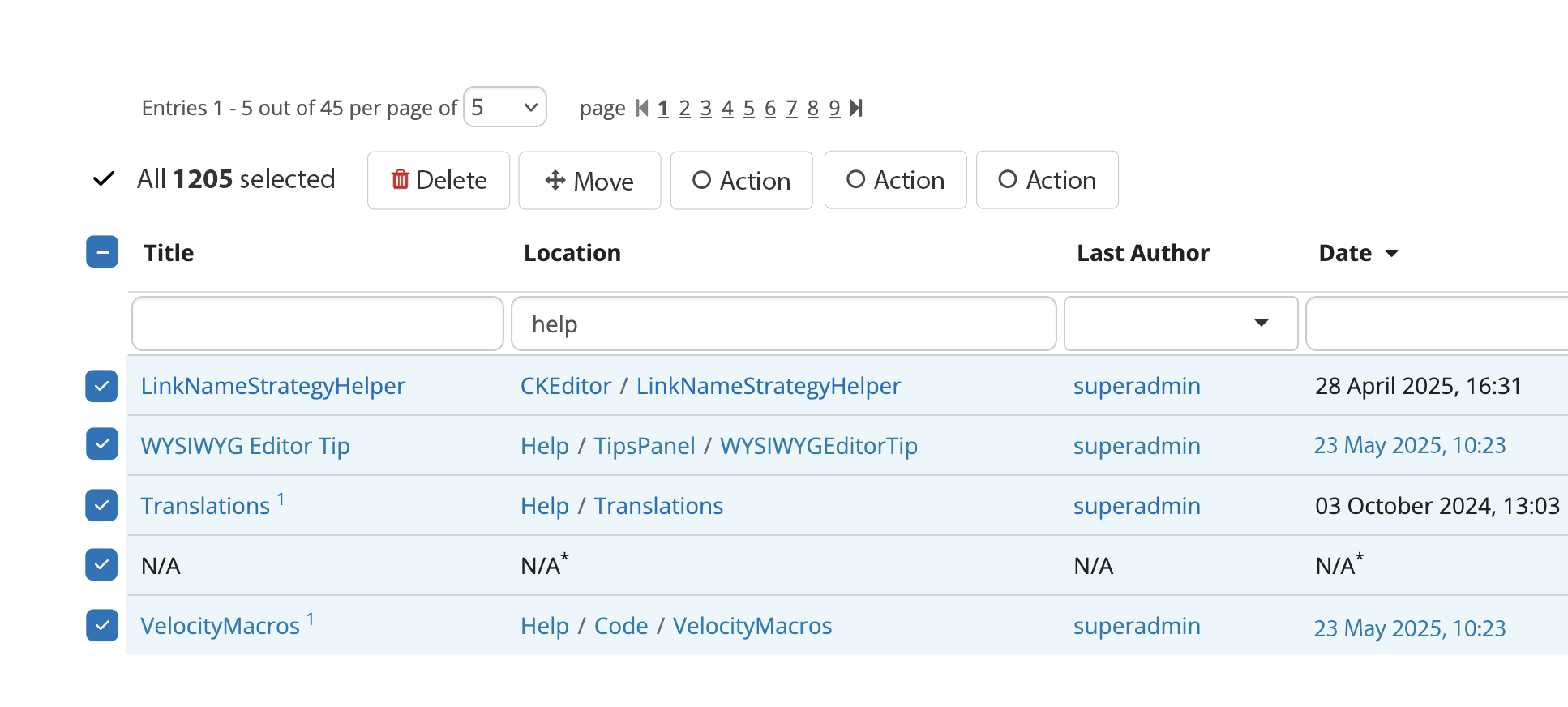
Batch Move Screen
Initial batch move screen - all have default configs

Clicking “Configure“ in batch move screen
A modal opens with the following choices, rendered either..
- in standard macro-like layout (vertical)
- or on 2 columns (as they are currently).

Batch move screen - entries have been given custom configs
The messaging in the “Default configuration“ changes
For any entry that has been configured, the action’s name is changed to “Re-configure“. I think it indicates past edition better than the change from “Configure“ to “Edit“ as it was in the initial version of the proposal

Batch delete

Clicking "Configure" in delete batch screen


